

Explore the Data dictionary
1
Choose an endpoint
Open Data dictionary and select the method and endpoint you want to implement.
2
Compare request and response
Read the example request on the left and the example response on the right. Where response alternatives are offered, choose the status you need to understand.
3
Inspect individual fields
Expand nested structures and read the displayed field types. Use the field information controls for additional considerations. Follow a field into Field lookup for its fuller definition.
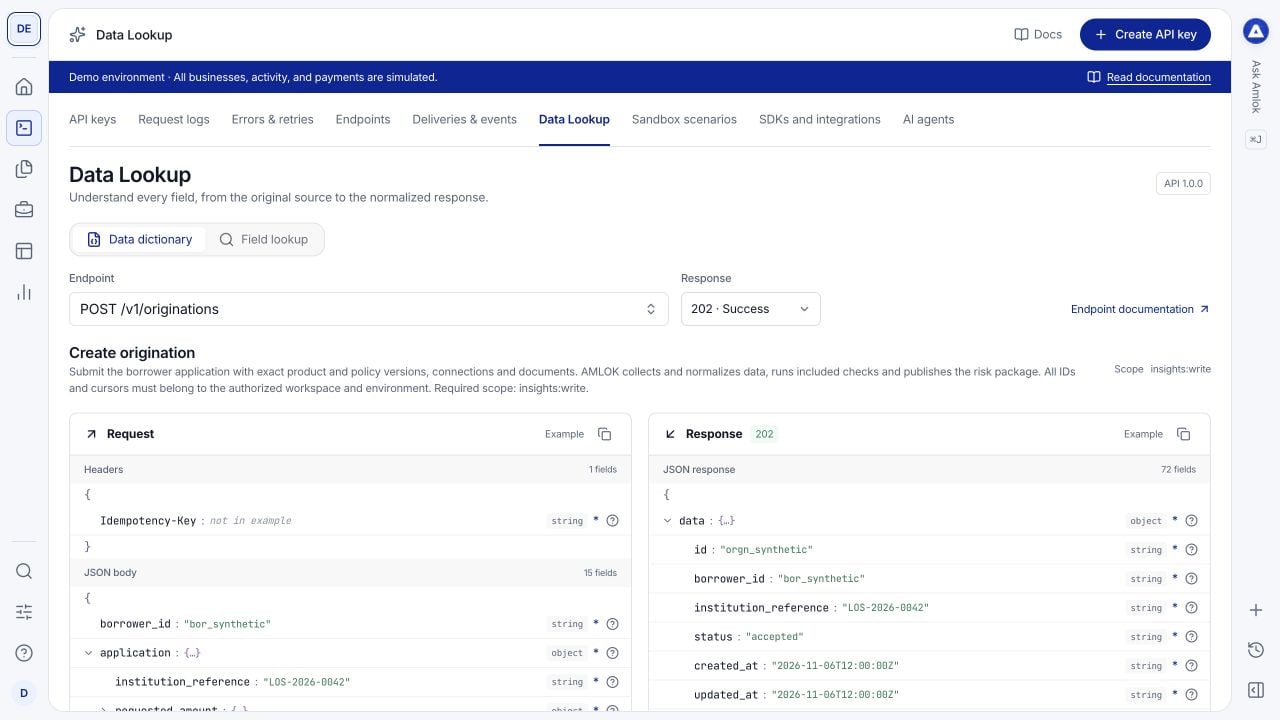
The dictionary adds field information to example payloads instead of presenting an unexplained JSON block.
Use Field lookup
Select the three controls from left to right:- Integration: choose Amlok API for the normalized public contract, or an external integration for its source documentation.
- Endpoint: choose the operation associated with the field.
- Field: choose the exact field path, including its parent where relevant.
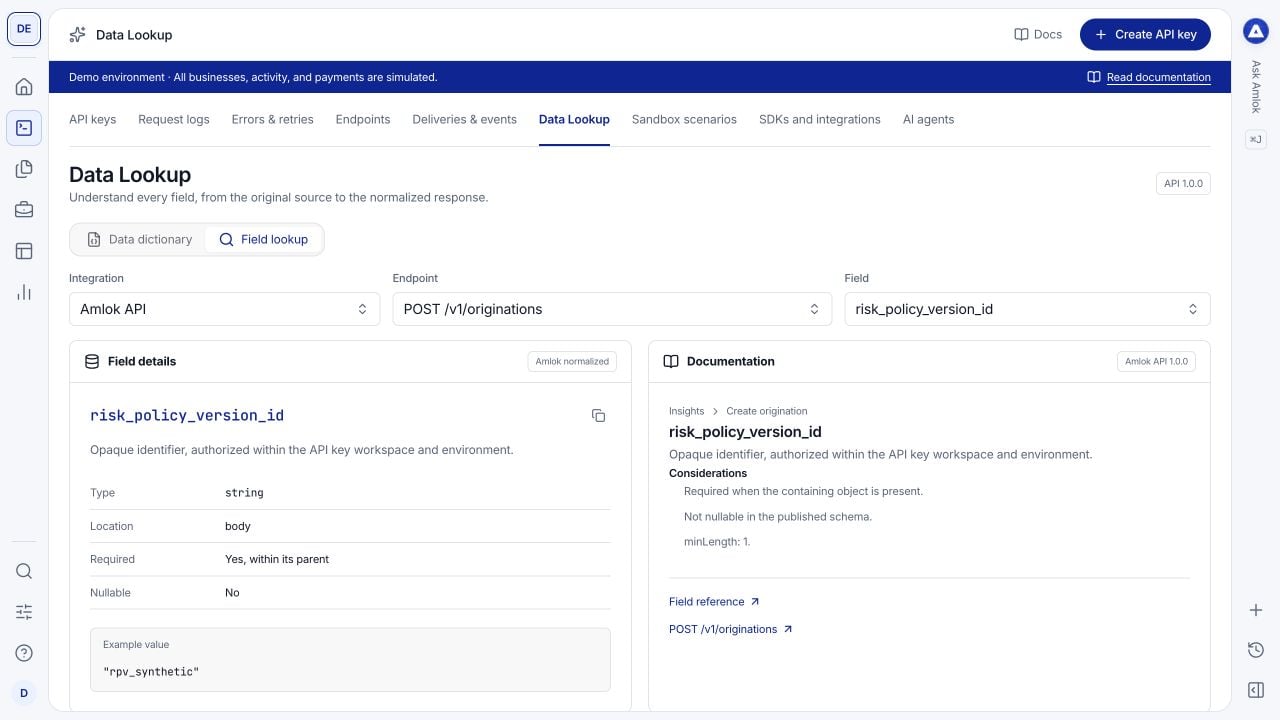
Field lookup connects a selected field to its definition and supporting documentation.