

Read the billing overview
Open workspace settings and select Billing. Confirm the workspace and environment, then review:- Balance: the available amount in the selected environment.
- Low balance threshold: the configured level used to identify a low balance.
- Autopay: whether automatic recharge is enabled and its configured amount and trigger.
- Organization billing profile: the legal name and billing contact for the organization.
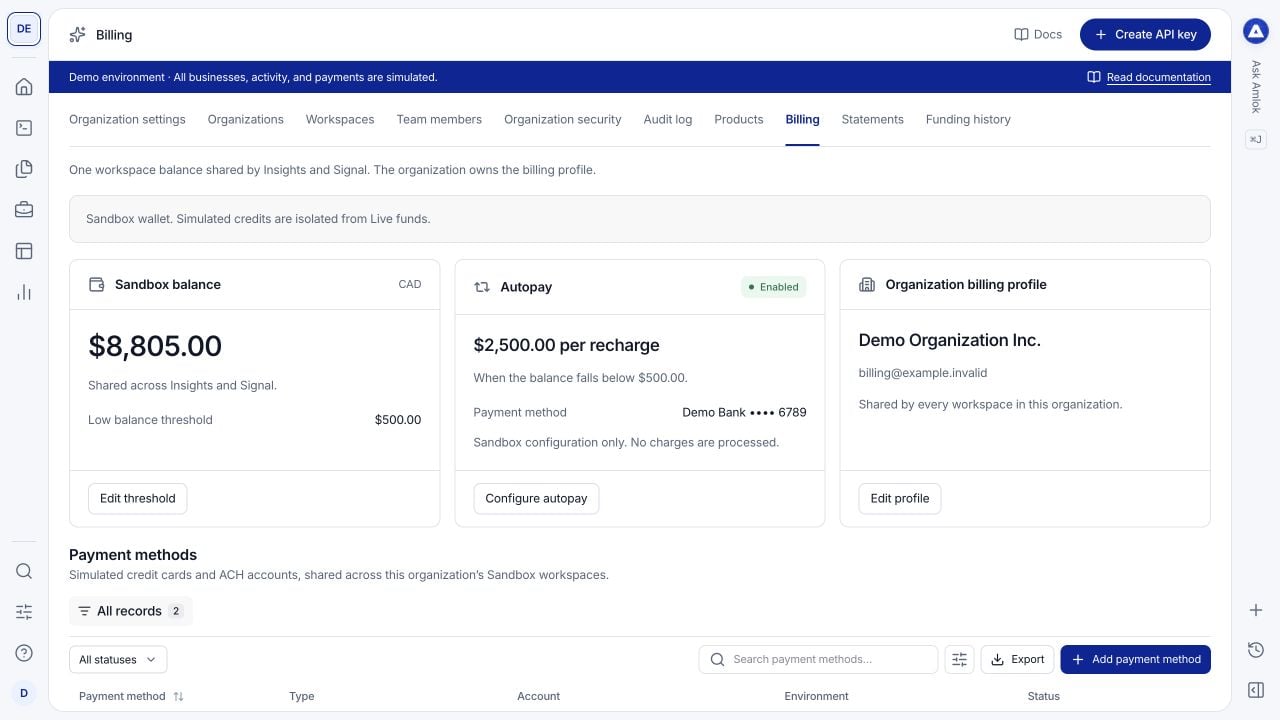
Billing combines the workspace balance and autopay with the organization profile and payment methods.
Configure autopay in Sandbox
1
Add a simulated payment method
In Payment methods, select Add payment method. Choose Credit card or ACH bank account and enter a display name. Sandbox does not need real card or bank details.
2
Open Configure autopay
Turn on Enable autopay. Enter the balance level below which a recharge should be triggered.
3
Choose a recharge amount and method
Select a displayed preset or Custom, then choose the payment method. Review the summary showing both the trigger and the amount to add.
4
Confirm and save
Complete identity confirmation and select Save autopay. Return to the overview to confirm the saved configuration. To stop future automatic recharges, switch autopay off and save.
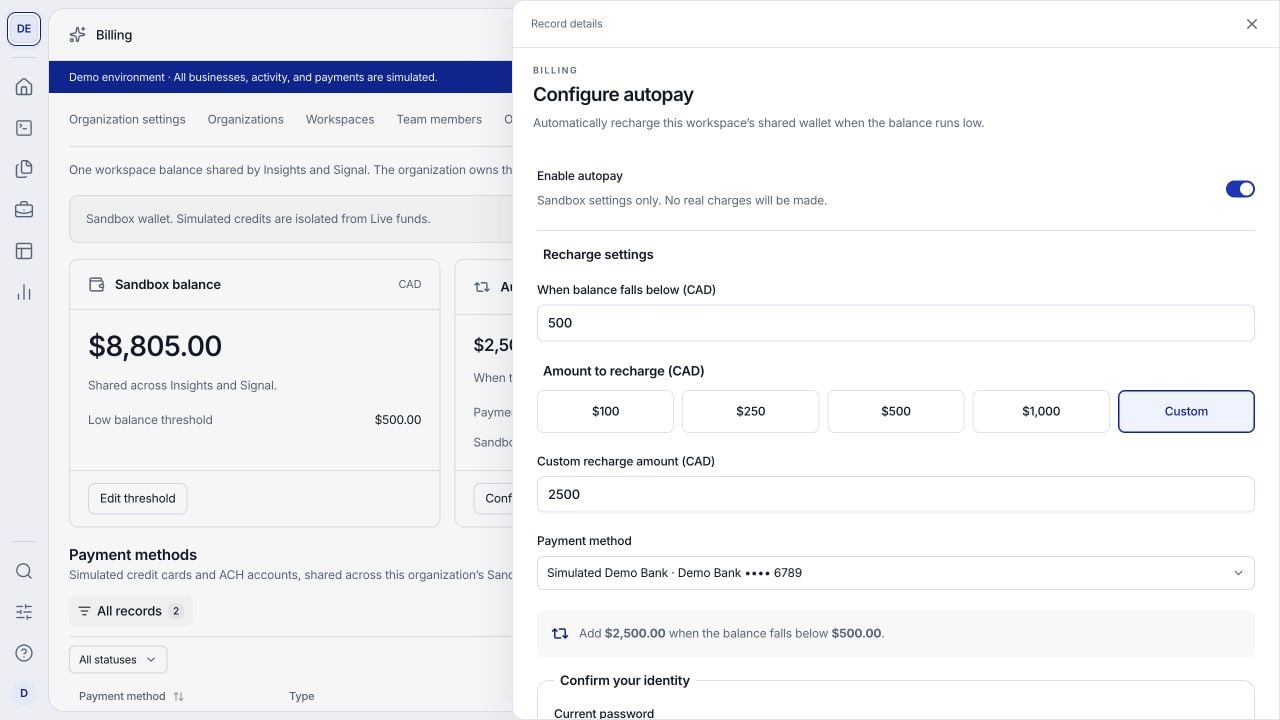
The trigger balance and recharge amount are separate settings. This example uses only simulated funds.
Manage payment methods
Payment methods belong to the organization and environment and can be used by its workspaces. Open a record to inspect it or use its actions to rename it, make it the default or remove it. Set as default changes the method suggested for new autopay configuration. Existing autopay configurations keep their selected method. Removing a method disables autopay for every workspace using that method; historical transactions remain available.Reconcile funding and charges
Pending or failed funding is not available credit. A payment record and a posted wallet credit represent different stages, so do not add both as separate deposits. Compare currency, amount, status, period and related identifiers when reconciling a payment, ledger entry, consumption record and statement.
Historical transactions and statement snapshots are records of what was posted. Corrections appear as linked activity or revised statements rather than silent edits. API request counts are not the billable unit for Insights or Signal.
See Reporting, credit reporting and consumption reporting for downstream reconciliation. Commercial cancellation and refund terms are covered in contract terms and refunds and payouts.