Webhooks notify your integration about underwriting, monitoring and other subscribed events. Owners and Developers manage destinations in Dev Tools > Endpoints and inspect outgoing activity in Deliveries & events.

Register an endpoint

  1. Select the correct workspace and environment.
  2. Open Endpoints and select Add webhook.
  3. Enter a recognizable name and an HTTPS destination controlled by your team.
  4. Select the event subscriptions needed by your application and complete the requested identity confirmation.
  5. Store the signing secret securely when it is shown, and implement signature verification in your receiver.
Use the endpoint drawer to inspect or edit its configuration. An endpoint being enabled does not prove that your server has received an event. Confirm delivery with a controlled test.

Inspect a delivery

Open Deliveries & events and filter or search for the event associated with your record. Select a row to inspect the available event payload, destination, status, response and attempt details.
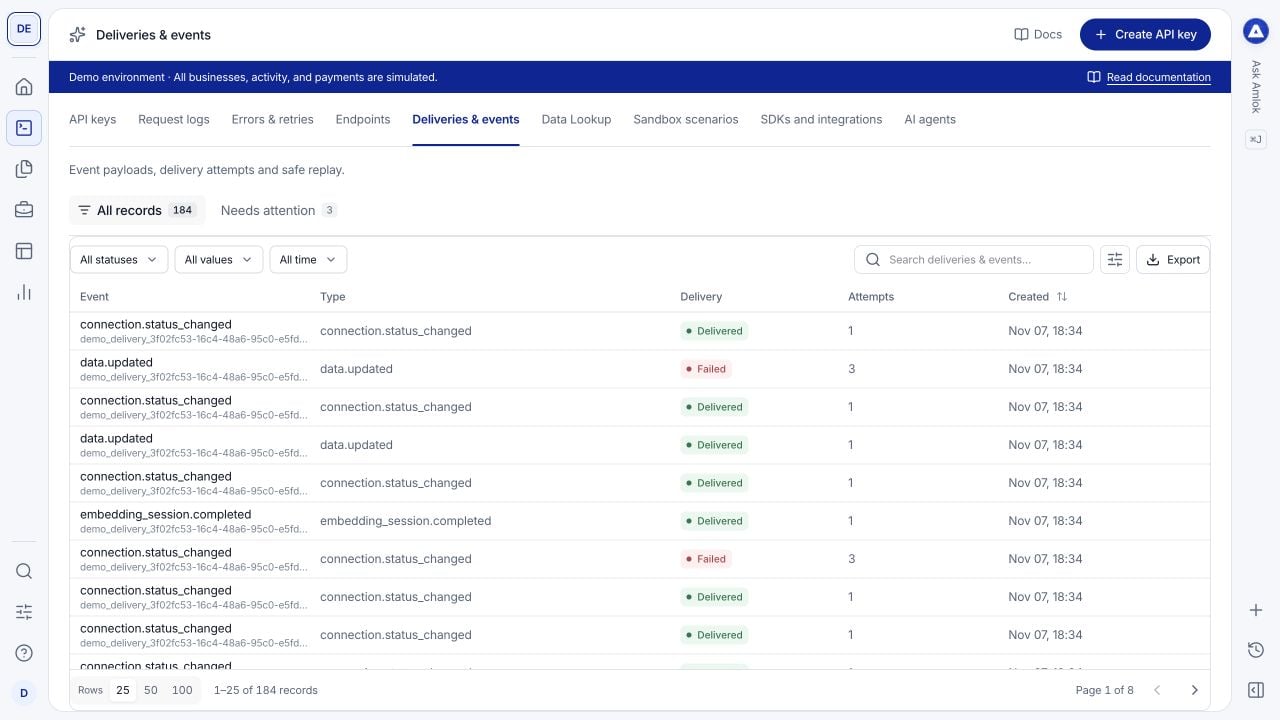
Deliveries and events table showing seeded webhook activity, event types and delivery statuses.

Use event and delivery records to follow notifications independently of incoming API requests.

Keep these identifiers separate:

Troubleshoot missing notifications

  • No event record: check that the product action completed and that the expected event type applies. A successful submission can still be processing.
  • No matching destination: check the endpoint’s environment, status and event subscriptions.
  • Failed delivery: inspect the receiver’s response, HTTPS availability and signature handling.
  • Repeated event: deduplicate by event identity and make your handler safe to run again.
  • Out-of-order delivery: reconcile with the current API record instead of treating arrival order as business order.
Implement signature verification against the original request body, acknowledge promptly and process asynchronously. Follow webhook operations for retry, replay and secret-handling rules, and the event catalog for payload meanings. Do not assume opening a delivery in the console replays it.

Test safely in Sandbox

Sandbox scenarios record example events and deliveries. Outbound test delivery requires the scenario’s explicit delivery option and an eligible endpoint you control. The separate demonstration site suppresses outbound delivery; its records illustrate the experience without contacting external systems. Start with a successful receiver, then test failure, duplicate and retry handling. See Sandbox scenarios and the webhook integration guide.