

Find and open an origination
Open Origination in the left navigation. Use the status views, filters and search to locate the borrower or request. Check the selected workspace and environment before searching for an identifier from your application.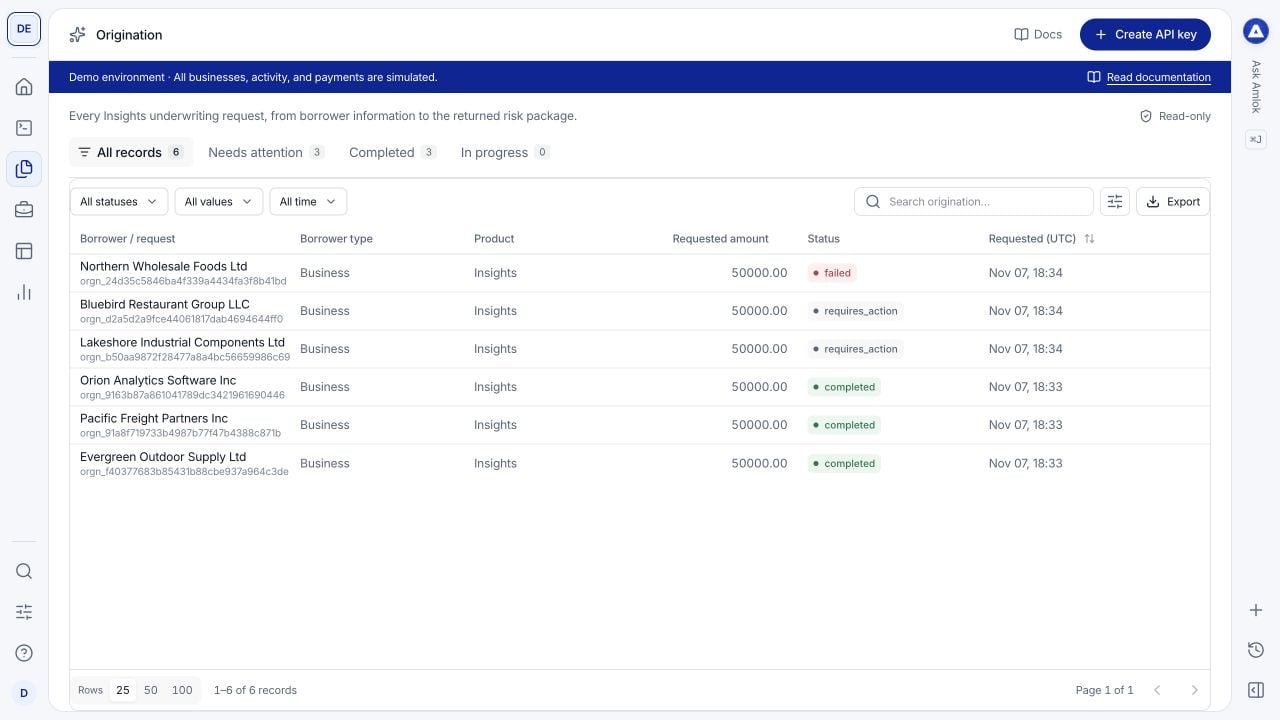
The origination table combines completed results with cases that need attention. These businesses are fictional.
API request and API response are visible to Owners and Developers. Analysts use Overview, Documents and Integrations. Number badges count associated records, not completed checks or a guarantee of complete evidence.
Overview
Start here for a readable review of the result. The summary identifies the borrower, product, requested amount and risk policy when supplied. Scroll through the drawer to inspect:- Risk package: the available underwriting result and its supporting dimensions. Expand nested sections to read their values, coverage and qualifications.
- Request information and Underwriting inputs: the application facts used for this run, such as requested financing and declared business information.
- Borrower information: the subject of the assessment and its recorded attributes.
- Published evidence and Activity: associated published records and recorded activity when available. Open an evidence row for further detail.
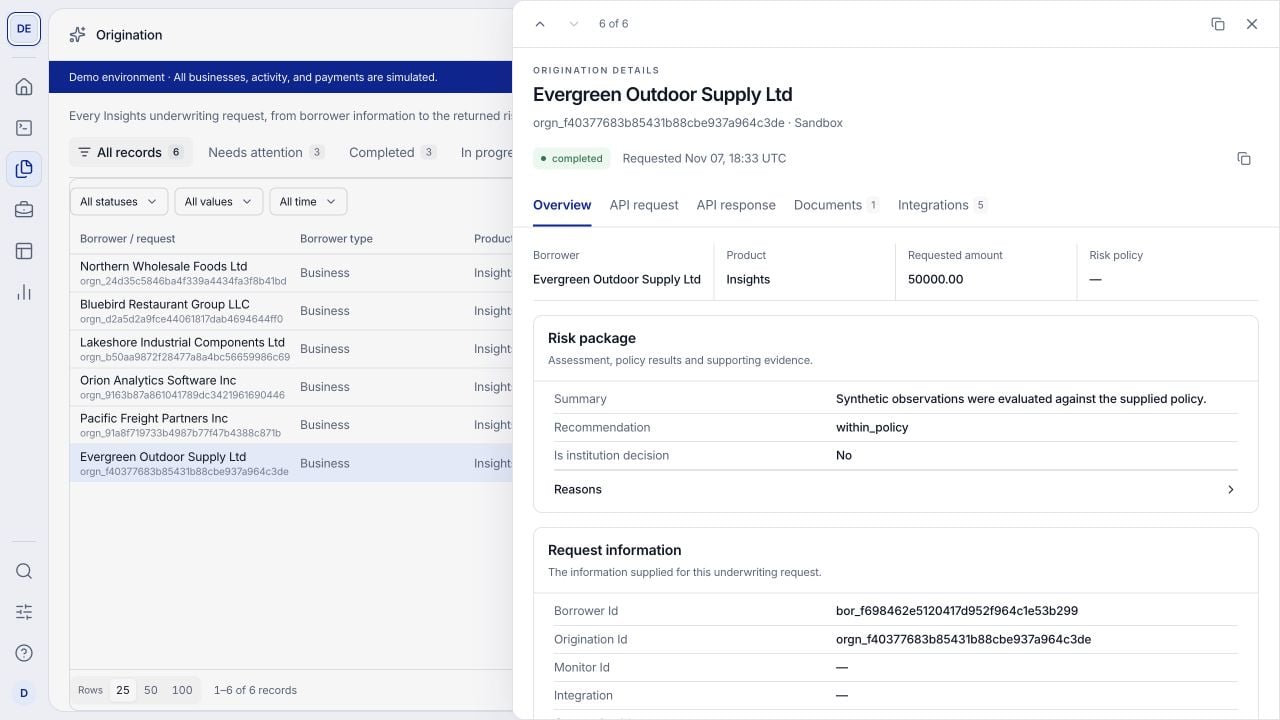
Overview brings the readable risk package and its inputs together. Scroll within the drawer for evidence and additional sections.
API request
Use this tab when investigating unexpected results or checking what your integration submitted. Inspect the captured payload for the borrower, application facts, document and connection identifiers, and lending-product and risk-policy version references.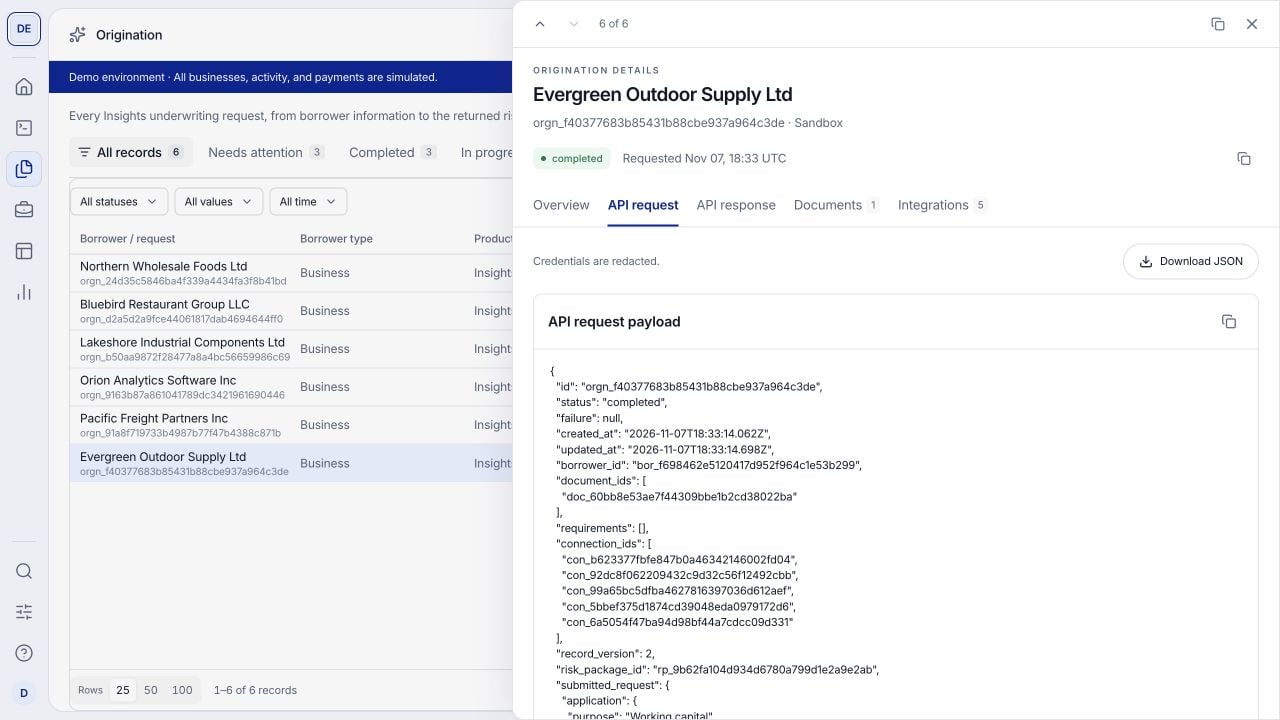
The captured request view supports technical inspection and JSON download. Check the submitted inputs within the payload.
submitted_request. Do not use the entire displayed record as a new POST request: use Data Lookup to check the endpoint’s request fields and required structure.
Use the copy control or Download JSON to inspect the payload locally. Related API requests lists linked request logs when available. If that list is empty, search Request logs using the identifiers you have; an empty relationship list does not prove that no request was sent. Opening or downloading the captured request does not submit it again.
API response
Use this tab to understand the returned origination record and compare it with your application’s handling of the result.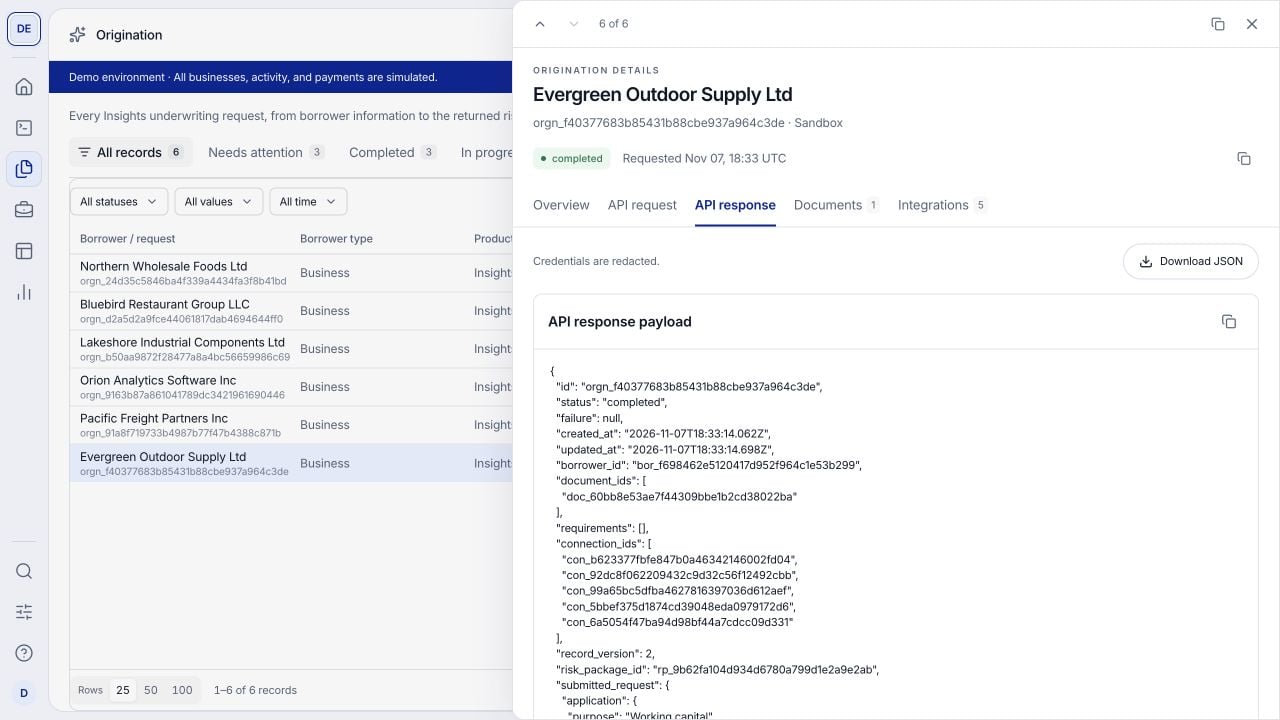
The response identifies the origination's state and associated result. A risk package reference can point to a separately retrieved package.
status, timestamps and record_version. Inspect failure or requirements when present, and follow the risk_package_id to the published result. The response can contain a reference to the risk package rather than the full package inline. Use Overview for the readable result and the risk package contract for programmatic retrieval.
Copy or download the JSON to compare the fields with Data Lookup. For the original HTTP status and timing, open the corresponding request log. An accepted asynchronous request is not yet a completed assessment; a completed assessment is not necessarily a within-policy recommendation.
Documents
Use this tab to find the files associated with this origination. The table includes File, Type, Size, Status and Added (UTC). Search for a file or identifier and select its row to inspect the available metadata.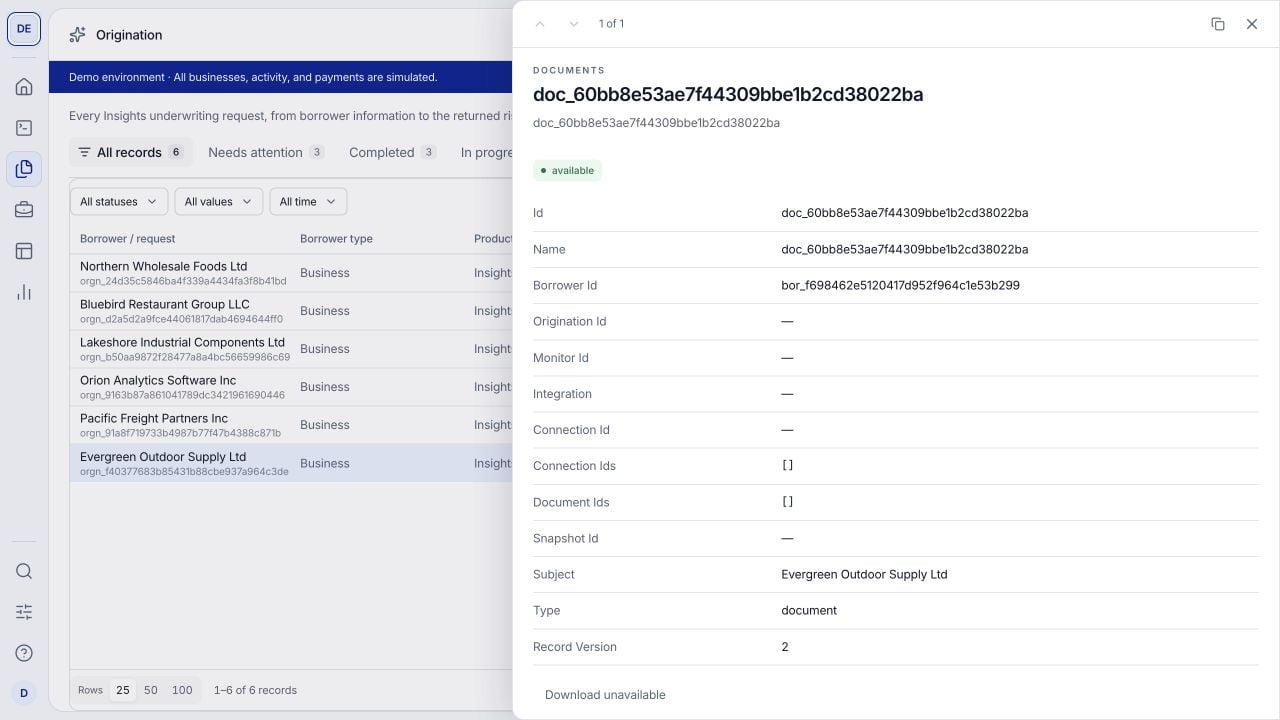
A file record opened from Documents shows its identity, borrower association and available metadata. This example has no downloadable original.
Integrations
Use this tab to identify the borrower connections associated with the origination, such as banking, payments, commerce or accounting sources. These are case-linked connections, not the catalog of providers enabled in your Integrations Hub.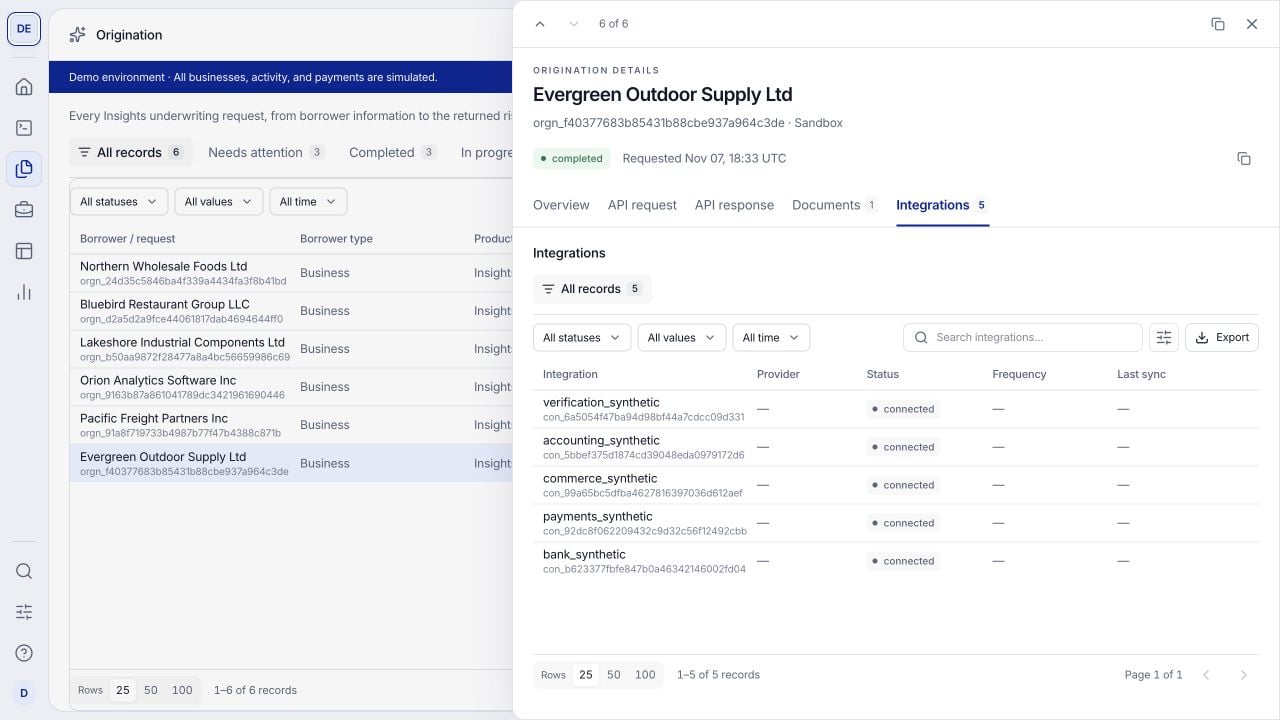
The Integrations tab shows the connections linked to the underwriting run. Demo sources are synthetic.
Interpret processing and recommendation separately
The risk package is decision support. Your institution owns the final lending decision. To investigate a case, compare Overview with the captured inputs, then check its documents, connections and request logs. Opening the drawer does not edit the application or rerun underwriting; submit corrections through the documented API workflow.
Continue with underwriting dimensions or follow an enrolled deal in Portfolio.