

Prepare your workspace
At first use, choose sample businesses or an empty workspace. The choice is shared by everyone using that workspace. You can load the sample businesses later from the scenario tools; choosing empty does not prevent future testing. The sample pack contains six fictional businesses with associated application, source, underwriting, monitoring and system records. See businesses and scenarios for the fixtures and expected outcomes. An Owner loads the complete pack. Owners and Developers use the scenario tools; financial scenarios require an Owner. Analysts review the resulting product records.Run a case
1
Select a scenario and business
Open the Scenarios tab. Choose the category and scenario, then select a compatible fictional business. Read the expected result before running it.
2
Review delivery options
Keep event delivery as record-only unless you intend to test an eligible endpoint you control. The separate demo deployment does not send external webhooks.
3
Run and wait for completion
Select Run scenario. Follow its status and steps rather than assuming the initial accepted response means the run has finished.
4
Inspect the generated records
Open Run history and select the run. Inspect its outcome, step details and linked records. Follow the generated origination, monitoring event, request log or billing record into the corresponding console area.
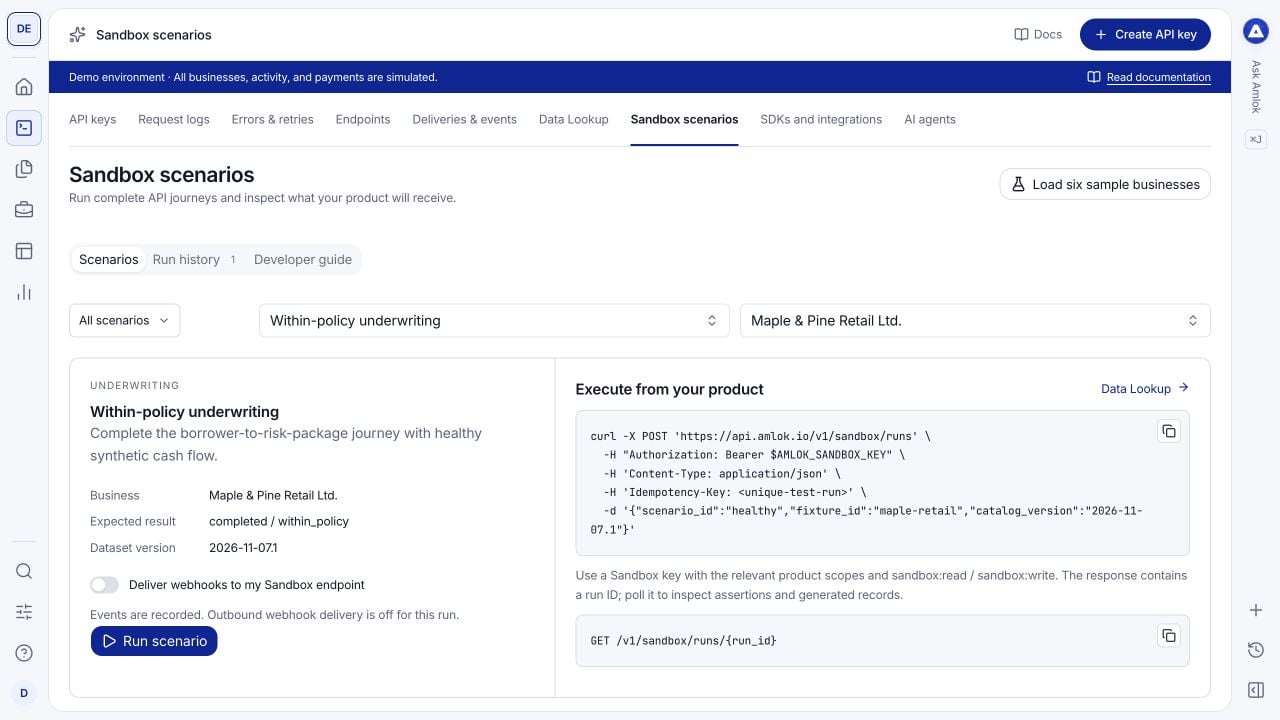
Choose a predictable result, inspect what the case exercises and run it against a fictional business.